← EASY SOFTKOREA
EASY SQScreen Tour

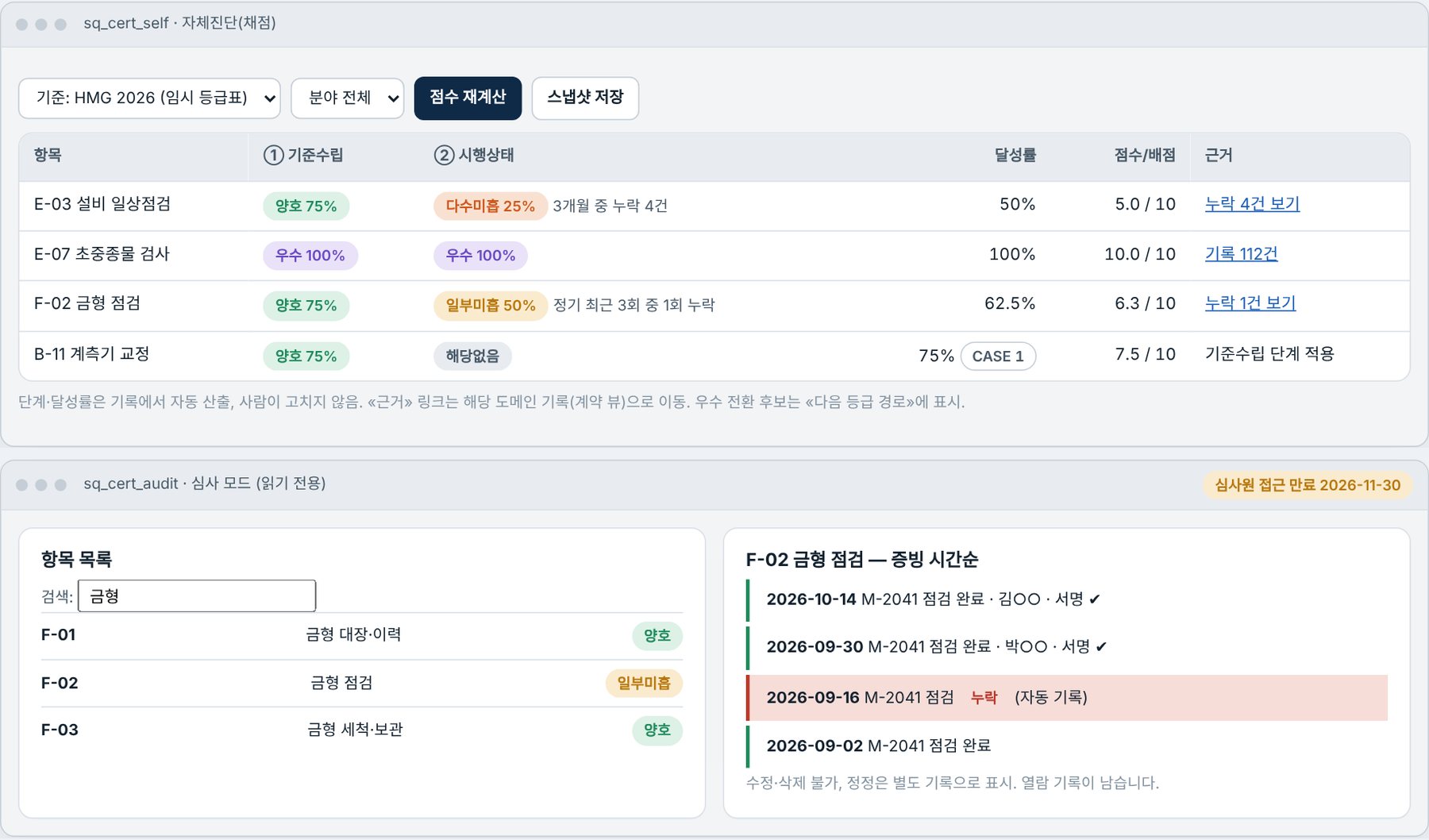
Your SQ audit score is built from shop-floor records.

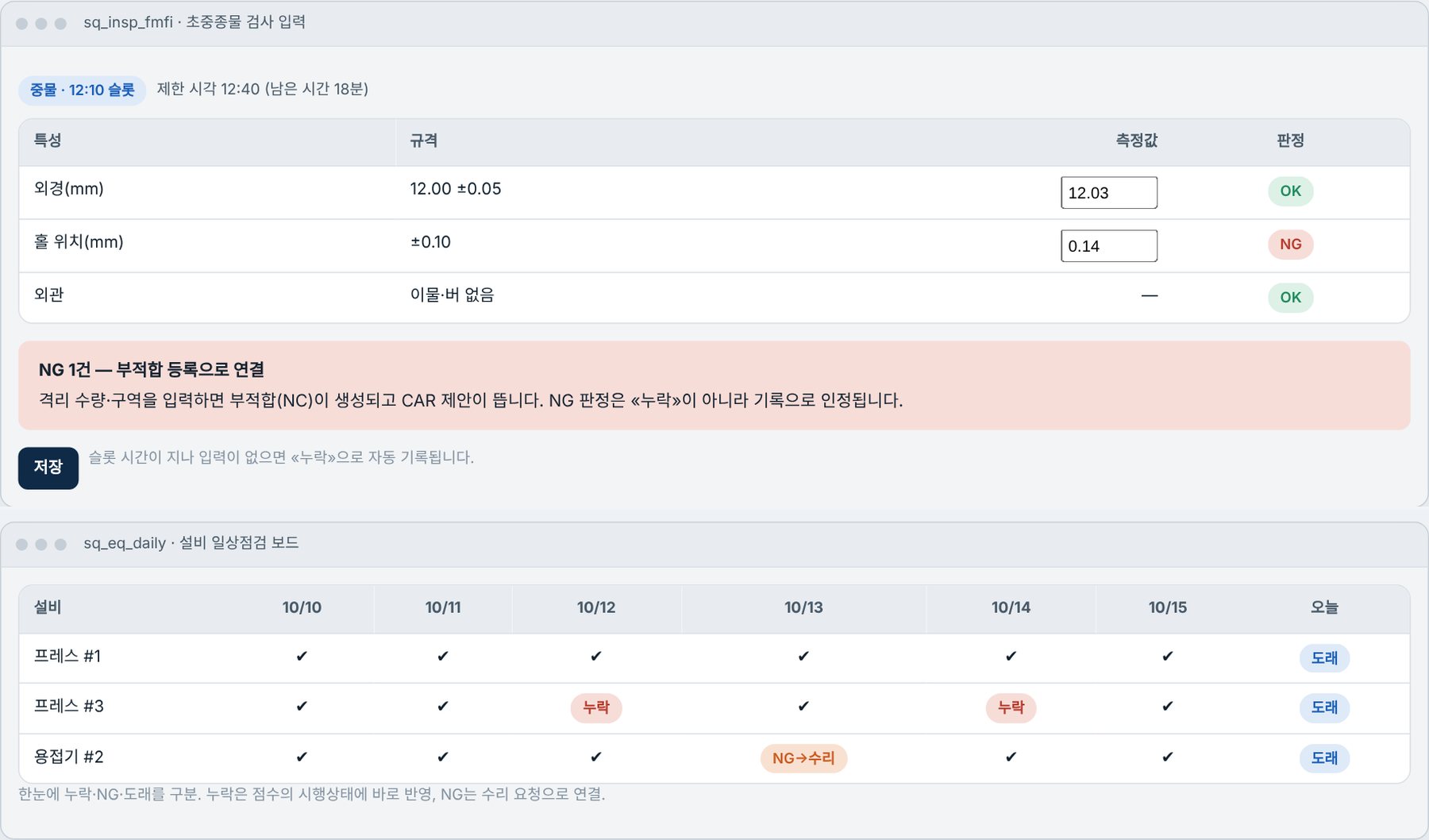
A program dedicated to automotive parts suppliers for Hyundai·Kia supplier quality certification (SQ). Inspection and test records entered on site become the implementation score directly, and shortfall items and today's to-do appear automatically.

Scores·GradesAutomatic expected score calculation
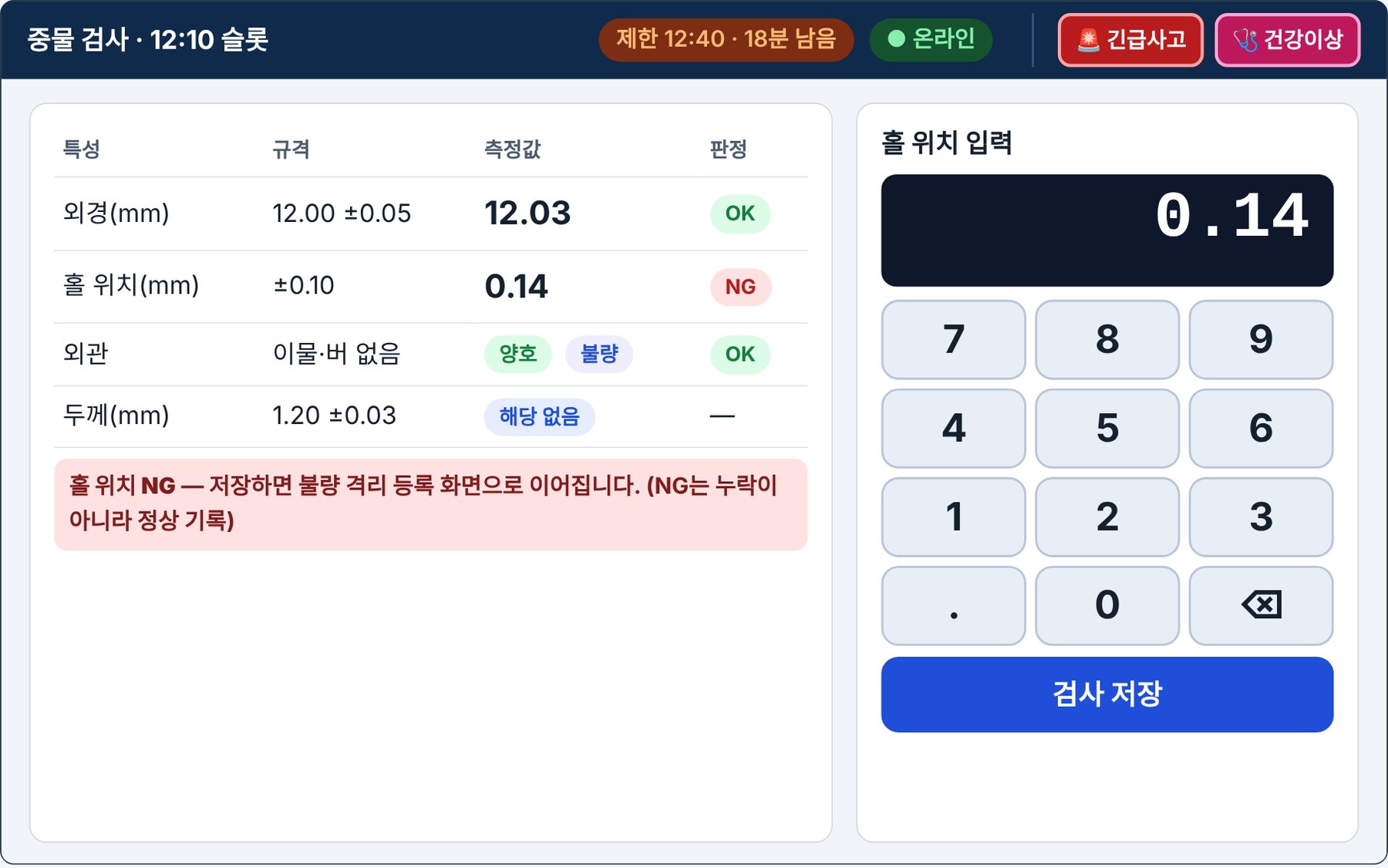
First/Middle/Last PieceAutomatic Inspection Slot Guidance
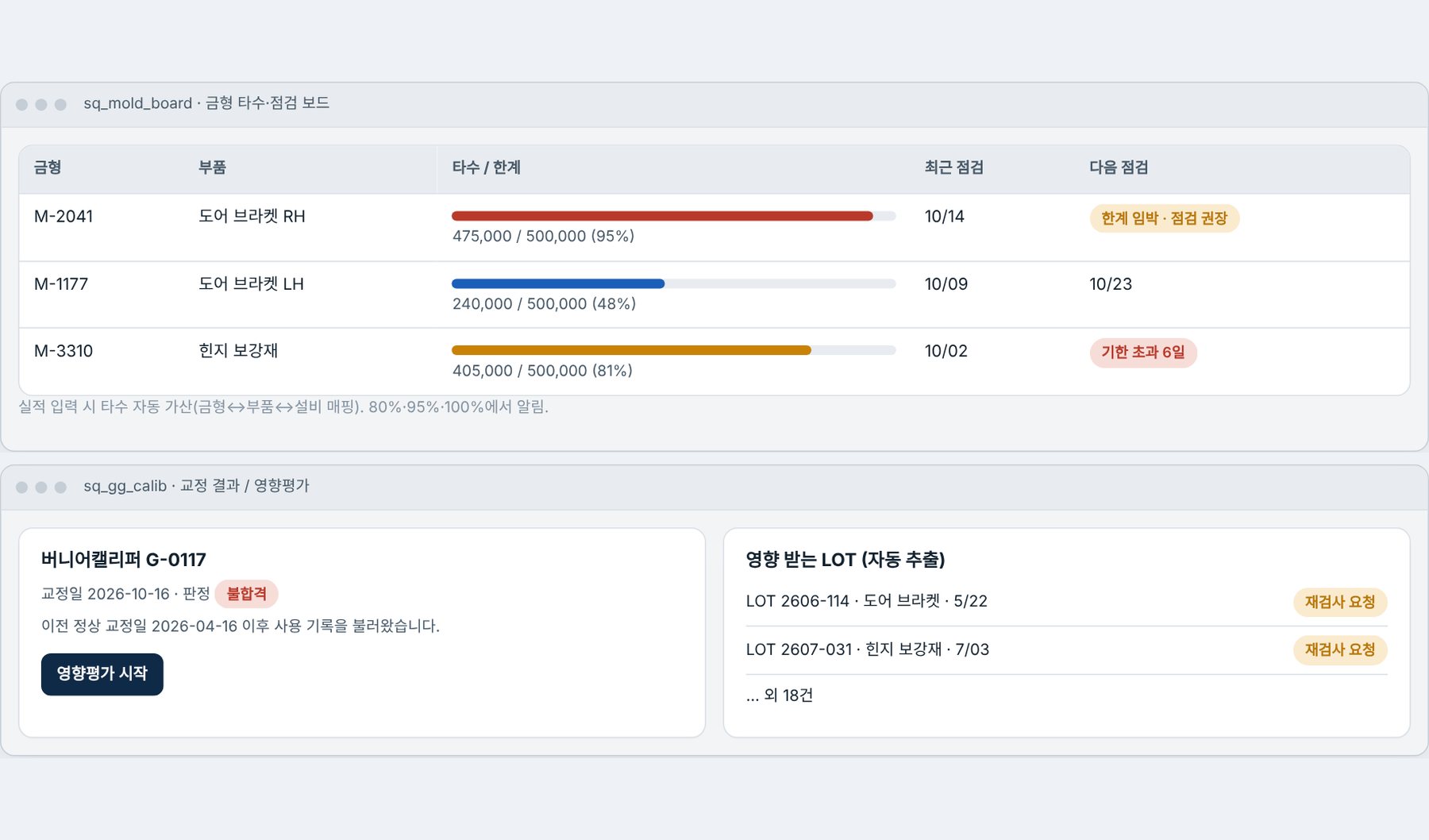
Equipment·Molds·GaugesInspection·Calibration Due Management
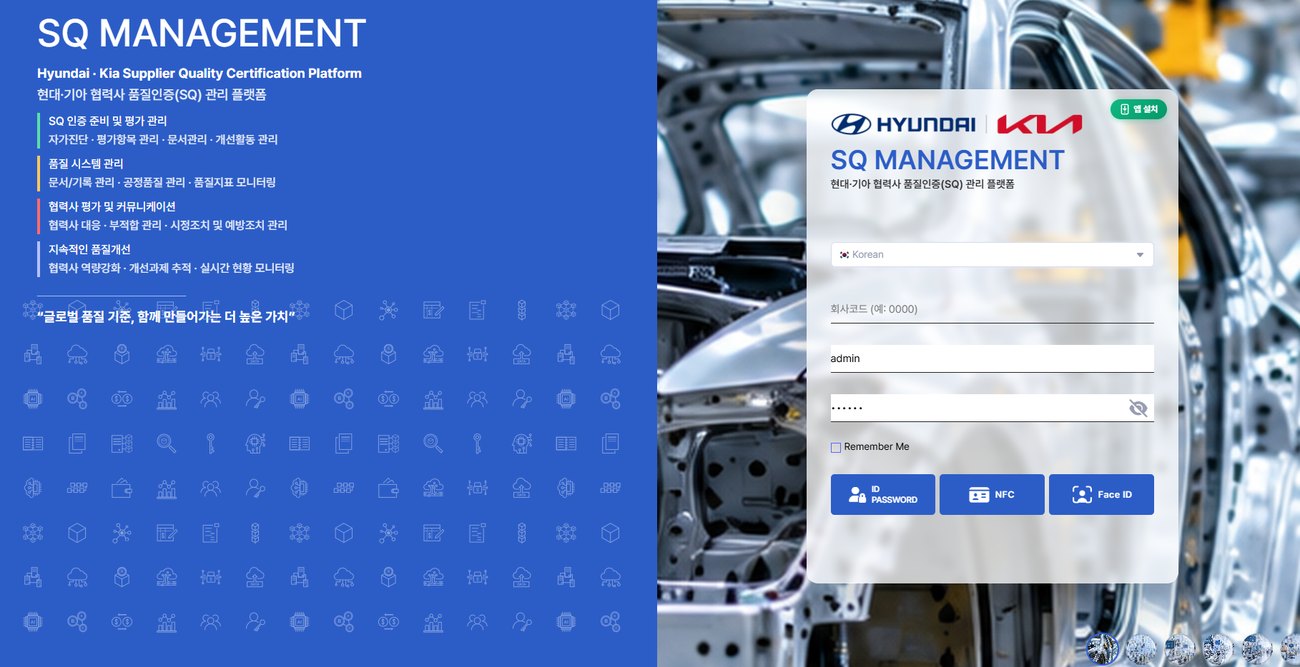
EASY SQ Login Screen

Common difficulties when preparing for an SQ audit

Concerns of automotive parts suppliers, and the answer from EASY SQ.

Cannot tell what score you would get if audited now
Dashboard of expected score, grade, and points remaining to the passing lineDrill down from score to supporting records for verification
Inspection, calibration and training are missed, resulting in audit findings
Automatically gathers and shows today's tasks by role
Paper drawings and inspection standards get lost, and revised versions are mixed up
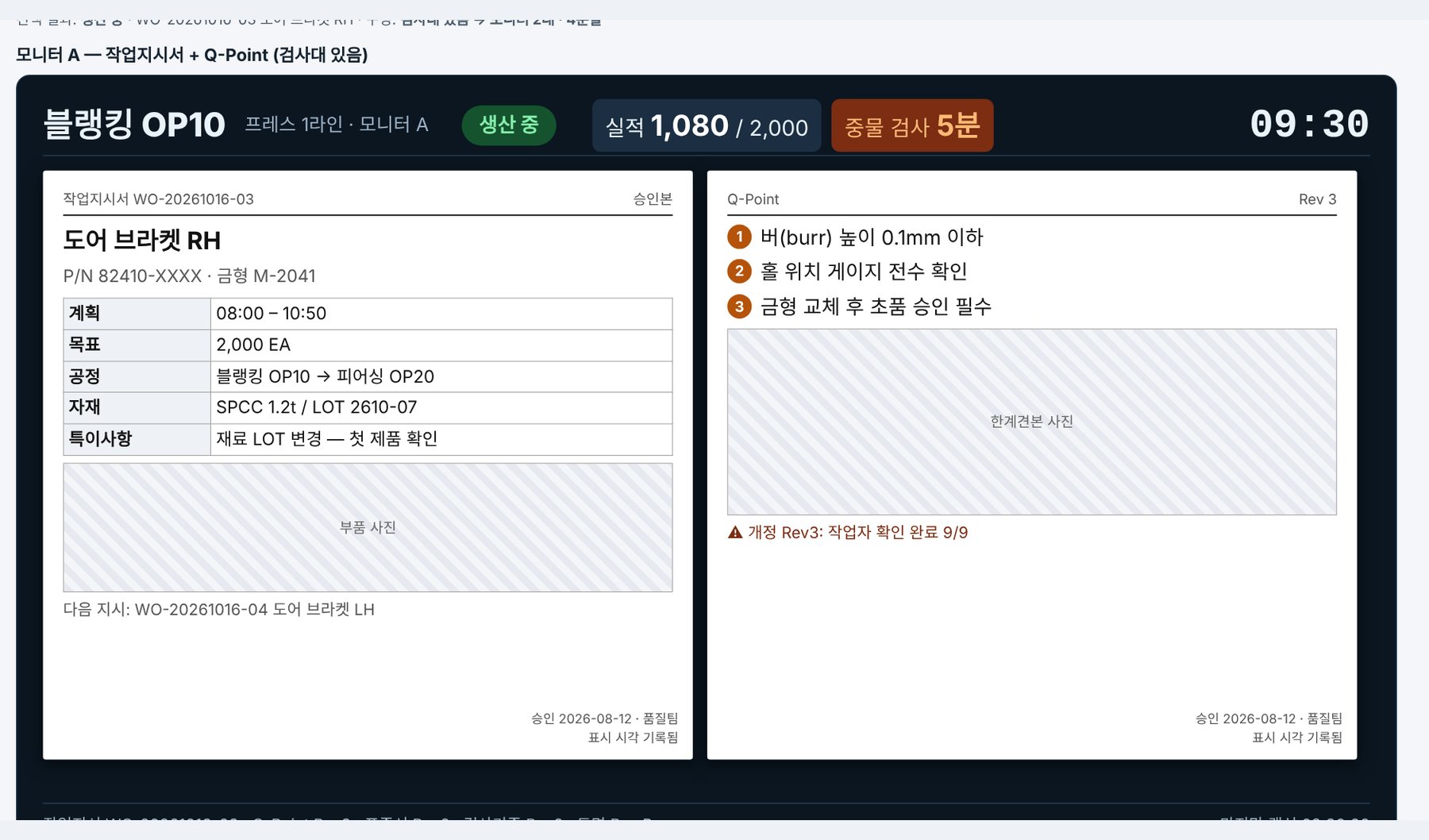
Work orders, Q-Points, inspection criteria and drawings appear automatically on process station monitors
First/middle/last piece inspection times are missed or records are omitted
When it is time for inspection, the slot opens and results are judged against specifications; NG links to nonconformity registration
Missing mold shot counts and gauge calibration expiry
Manage due dates and expirations with calendar and alerts
Hard to find nonconformity and corrective action history during audits
Record everything in one flow, from nonconformity registration to CAR/8D
Must respond even when the grading system changes
Grade cut-offs and system are kept as settings, so only values are replaced when changed
Preview the actual screen layout first

This is a screen mockup from the design stage. All names and figures are sample data, and grade cut-offs are provisional values.

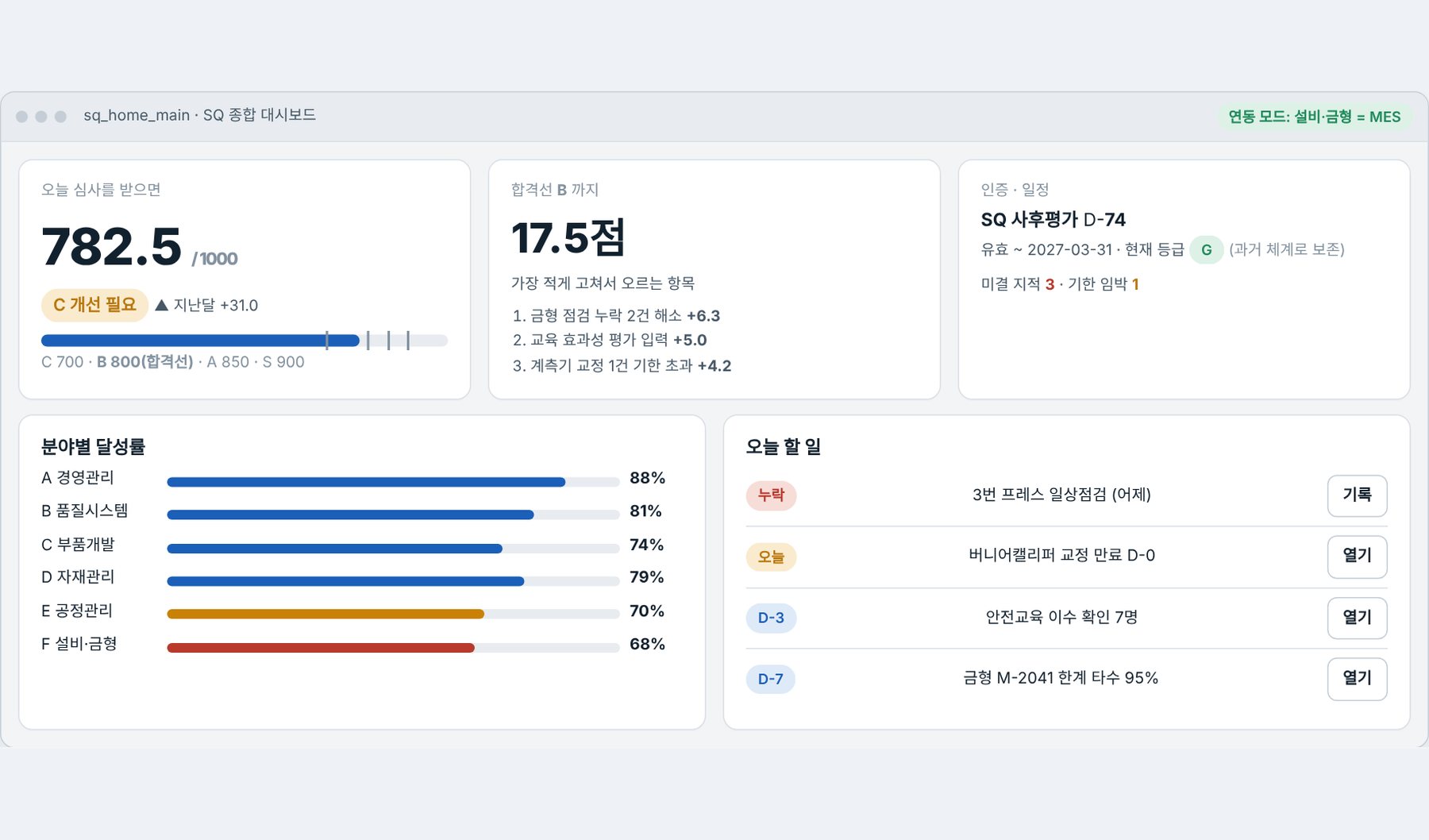
Expected score and today's to-do on one screen

Shows achievement rate by area, points remaining to the passing line, and the items that raise the score with the least correction.

  • Expected score·grade and change from last month
  • Guide shortfall items in order of score impact
  • Gather missing and upcoming tasks into today's to-do list
Click to enlargeSQ Dashboard Screen

This is a design mockup; actual screens will be finalized through field trials during implementation. Official SQ grade cut-offs are shown as provisional values until confirmed.

Tailored for Automotive Suppliers

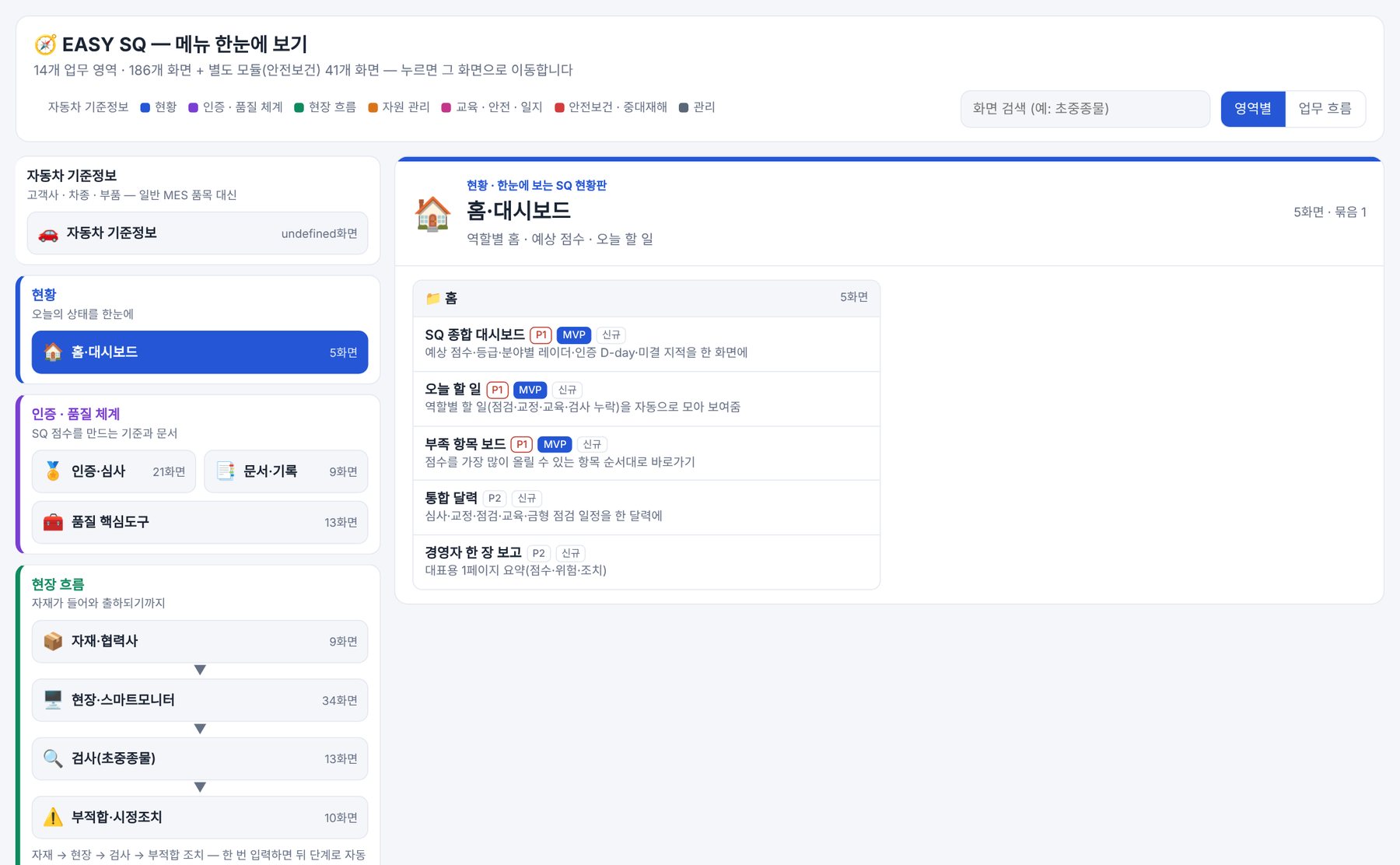
Instead of general MES items, reference data is organized around customers, brands, vehicle models, and parts. 14 business areas and 186 screens (41 more for Safety & Health).

Certification·Quality System

Criteria and documents that produce the score

  • Certification·Audit: 21 Screens
  • Documents·Records: 9 Screens
  • Core Quality Tools: 13 Screens

Field Flow

From Materials to Shipment

  • Materials·Suppliers: 9 Screens
  • Field·Smart Monitor: 34 Screens
  • Inspection (First/Middle/Last Piece) 13 screens

Action·Improvement

Nonconformity and Corrective Action

  • Nonconformity·Corrective Action: 10 Screens
  • CAR/8D
  • Gauge·Mold Management

Separate Module

Safety & Health·Serious Accidents

  • Safety & Health: 41 Screens
  • Pre-Work Check
  • Emergency Accident·Health Issue Call

Can be used together with MES or standalone. Configuration and quotation are provided through consultation.

We also tell you what to know before adopting

Strengths

  • Inspection·inspection records become the implementation score directly, so no separate audit paperwork is needed
  • Shortfall items and today's to-do appear automatically
  • Field screens readable with gloved hands and from a distance
  • Automotive-Specific Reference Data (Customers·Vehicle Models·Parts)
  • Respond to grading system changes through settings

Points to Check

  • Currently in the design stage, with only some screens implemented
  • The official SQ grade cut-offs are provisional values pending confirmation
  • Field equipment such as smart monitors and tablets is required separately
  • Equipment and mold data links must be verified when integrating with an existing MES
  • Detailed configuration and quote are finalized through consultation

Check your company's SQ readiness

Director Gwonsup Kim · [email protected]

Request a consultation by emailScreen Tour